
|
|
TITLE COLORName:
Dataplot provides two methods for specifying colors.
When setting the title RGB color, Dataplot first checks if the device supports RGB colors. If not, the named color will be used. If the device does support RGB color, Dataplot will check if an RGB color has been specified. If yes, then that RGB color is used. If not, the named color will be used. To see the list of supported named colors (with the associated index number), see https://www.itl.nist.gov/div898/software/dataplot/refman1/ch11/homepage.htm
where <color> is a character string that specifies the desired color.
where <red> is a number or parameter that specifies the red component; <green> is a number or parameter that specifies the green component; and <blue> is a number or parameter that specifies the blue component. To turn off the RGB color, set the values to -1 (any negative value will work). Values greater than 255 will be set to 255.
TITLE COLOR YELLOW TITLE COLOR WHITE TITLE RGB COLOR 220 109 88
2020/11: Support for RGB colors.
SKIP 25
READ GEAR.DAT DIAMETER BATCH
.
TITLE COLOR BLUE
TITLE CASE ASIS
LABEL CASE ASIS
LEGEND CASE ASIS
TITLE  Gear Diameter Analysis
Y1LABEL Cpk
X1LABEL Batch
LEGEND 1 Process Capability
LEGEND 2 Cpk Plot
XTIC OFFSET 0.5 0.5
CHARACTER X BLANK
LINE BLANK SOLID
.
LET LSL = 0.98
LET USL = 1.02
CPK PLOT DIAMETER BATCH
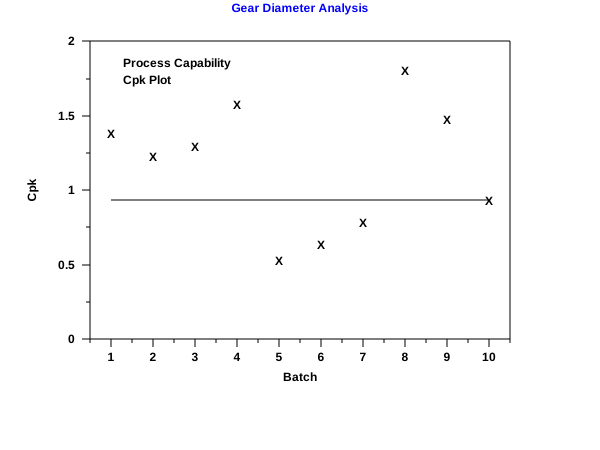 Program 2:
SKIP 25
READ GEAR.DAT DIAMETER BATCH
.
TITLE COLOR BLUE
TITLE COLOR 175 238 238
TITLE CASE ASIS
LABEL CASE ASIS
LEGEND CASE ASIS
TITLE  Gear Diameter Analysis
Y1LABEL Cpk
X1LABEL Batch
LEGEND 1 Process Capability
LEGEND 2 Cpk Plot
XTIC OFFSET 0.5 0.5
CHARACTER X BLANK
LINE BLANK SOLID
.
LET LSL = 0.98
LET USL = 1.02
CPK PLOT DIAMETER BATCH
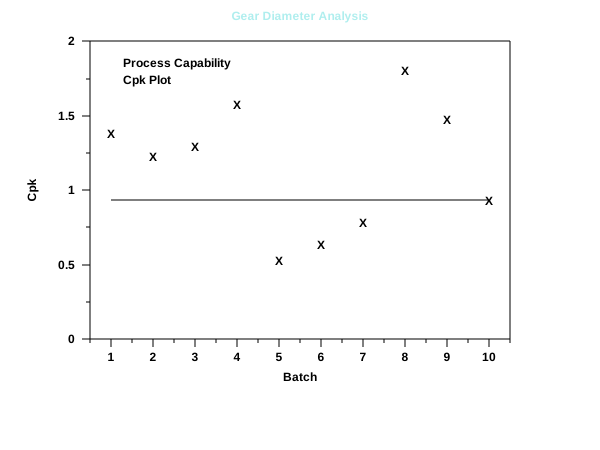
|
Privacy
Policy/Security Notice
NIST is an agency of the U.S.
Commerce Department.
Date created: 05/13/2021 | |||||||||||||||||||||||||